6.4.1 Settings ‣ Outlook ‣ Setup
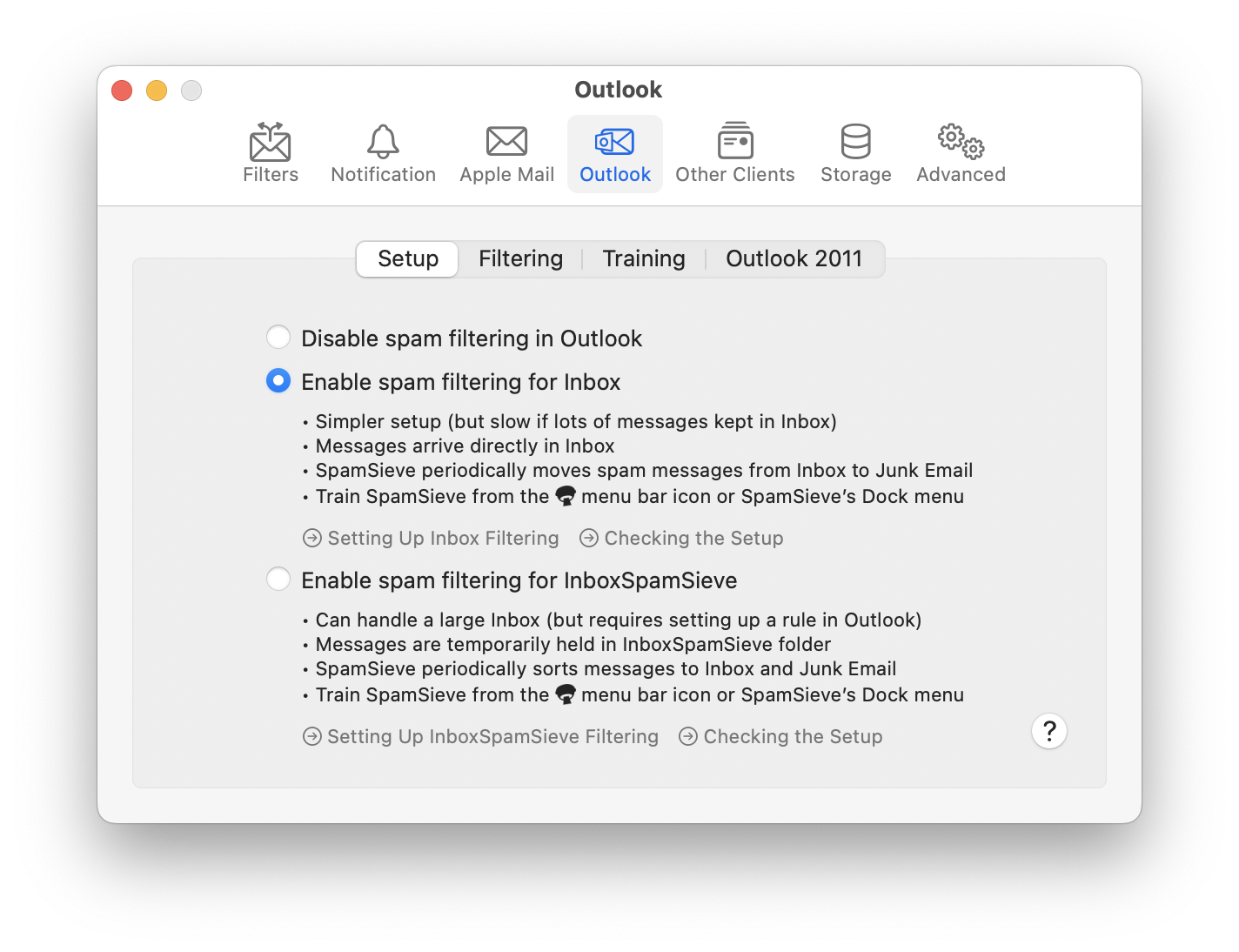
- Disable spam filtering in Outlook
This turns off automatic spam filtering in Outlook. You can still manually tell SpamSieve to filter messages using the Filter Messages command in the menu bar icon. If you are using the InboxSpamSieve setup, you would also need to uncheck the SpamSieve rules in Outlook’s settings to prevent messages from collecting in the InboxSpamSieve folder.
- Enable spam filtering for Inbox
This enables spam filtering in Apple Mail, as described in the Setting Up Outlook section. The summary of this setup option is:
- Simpler setup (but slow if lots of messages kept in Inbox)
- Messages arrive directly in Inbox, marked Good after processing
- SpamSieve periodically moves spam messages from Inbox to Junk Email
- Train SpamSieve from the menu bar icon or SpamSieve’s Dock menu
- Enable spam filtering for InboxSpamSieve
This enables spam filtering in Apple Mail, as described in the Setting Up Outlook (Large Inboxes) section. The summary of this setup option is:
- Can handle a large Inbox (but requires setting up a rule in Outlook)
- Messages are temporarily held in InboxSpamSieve folder
- SpamSieve periodically sorts messages to Inbox and Junk Email
- Train SpamSieve from the menu bar icon or SpamSieve’s Dock menu