3.4 Setting Up GyazMail
Open GyazMail’s Preferences window and click Junk Filter. Make sure that Enable Junk filtering is checked and that the pop-up menu says SpamSieve.
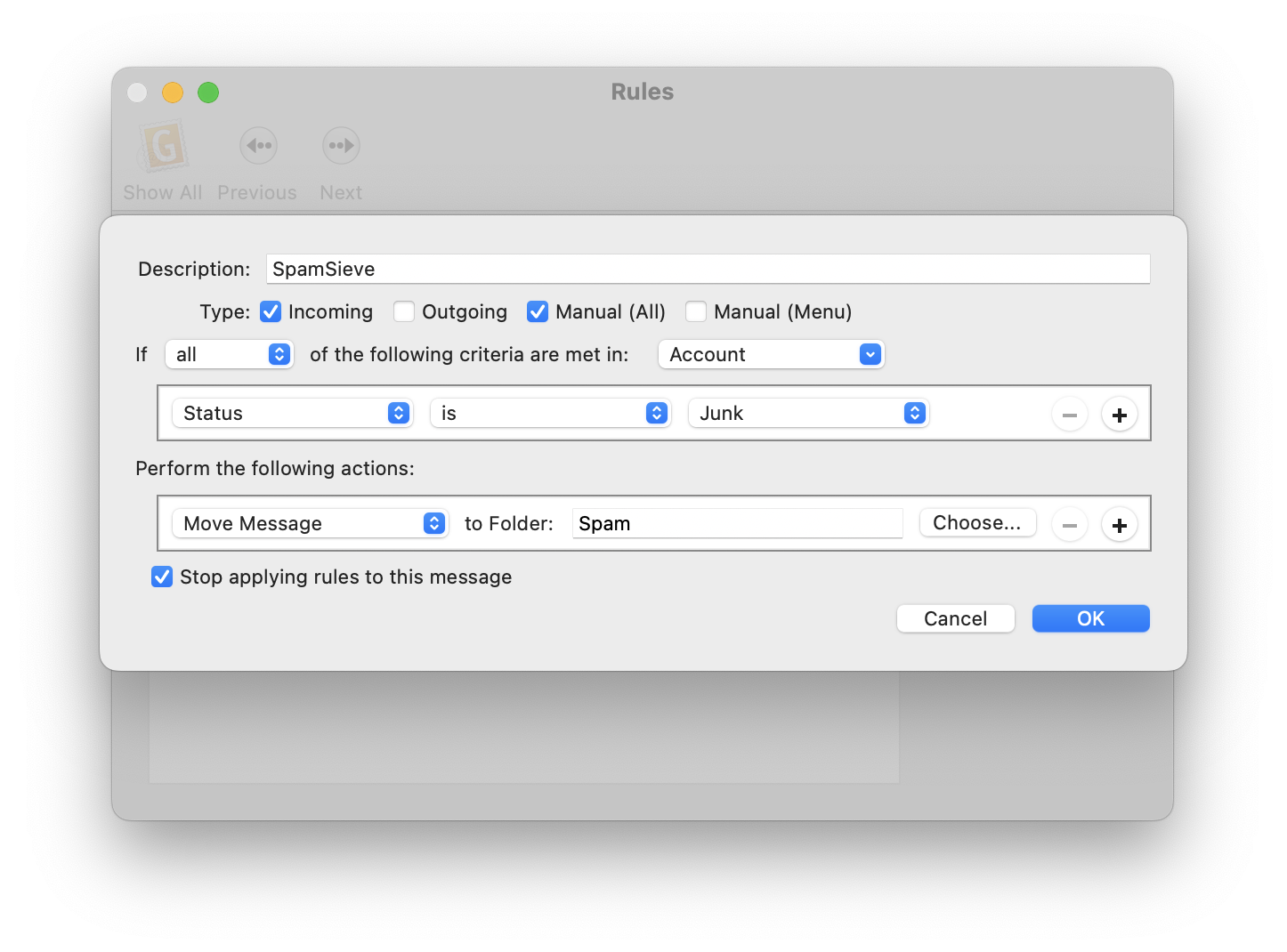
By default, GyazMail will color the incoming spam messages brown. If you want the spam messages to also be put in a separate folder, create a folder called Spam. Then click on Rules in the Preferences window and create a new rule as shown:
Now it is time to train SpamSieve:
- To train SpamSieve with spam messages, select the messages, go to GyazMail’s Message menu, and choose Junk ‣ Mark as Junk.
- To train SpamSieve with good messages, select the messages, go to GyazMail’s Message menu, and choose Junk ‣ Mark as Not Junk.
The Do an Initial Training section explains which messages (and how many of them) you should train.
You can also use the Junk button on the toolbar or the Message ‣ Status ‣ Junk menu command to toggle the junk status of the selected messages.
SpamSieve will process new mail automatically. If you ever need to manually ask it to sift through a mix of spam and good messages, select the messages and choose Junk ‣ Recheck Junk Status from the Message menu.
If you need to troubleshoot SpamSieve and GyazMail, see the Checking the GyazMail Setup section.
Moving Trained Messages
Normally, when you mark a message as junk or not junk in GyazMail, the message stays in the same mailbox. If you would like spam messages to move to the Spam mailbox and good messages to move to the inbox, you can set up two rules like this:
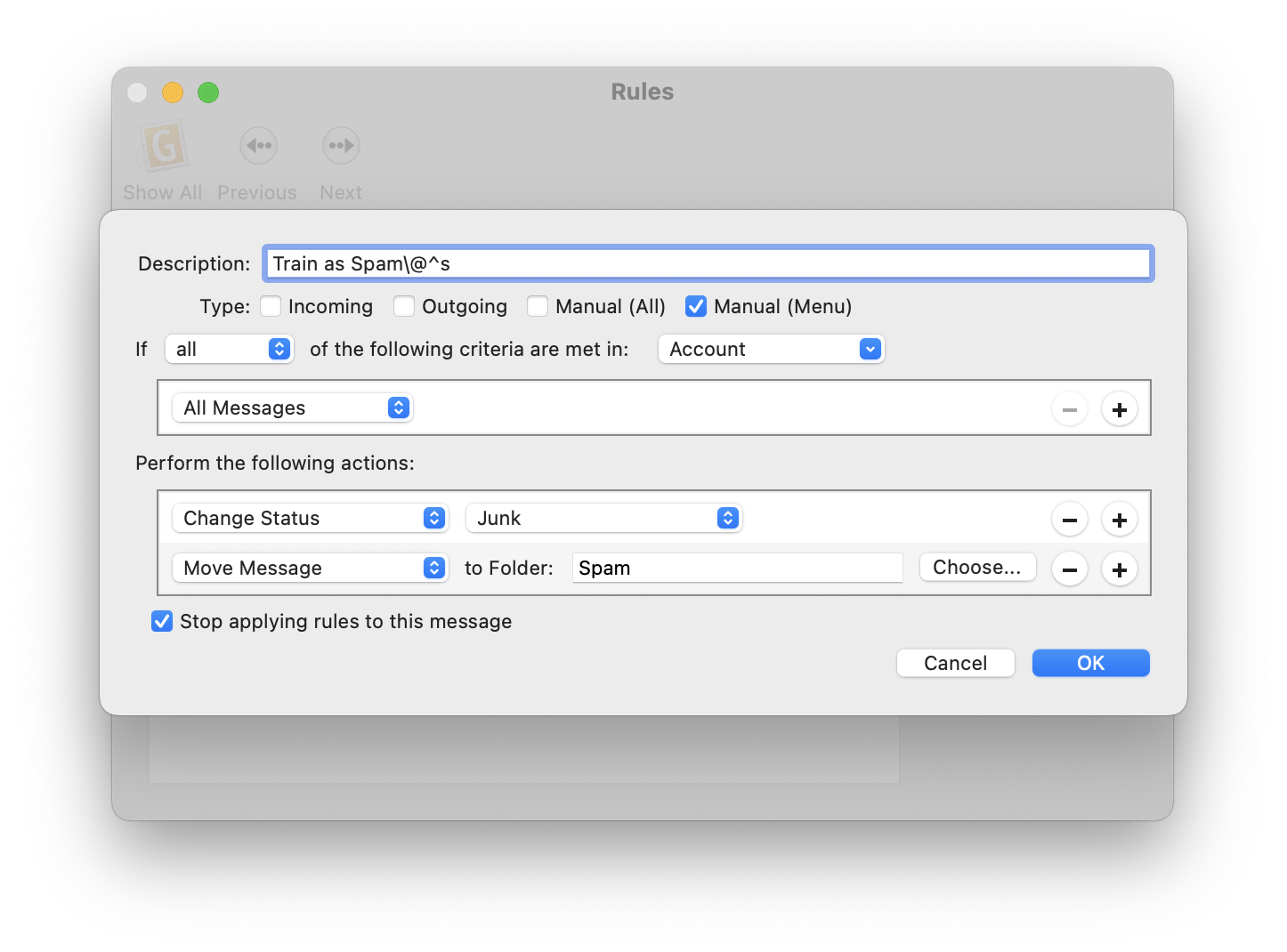
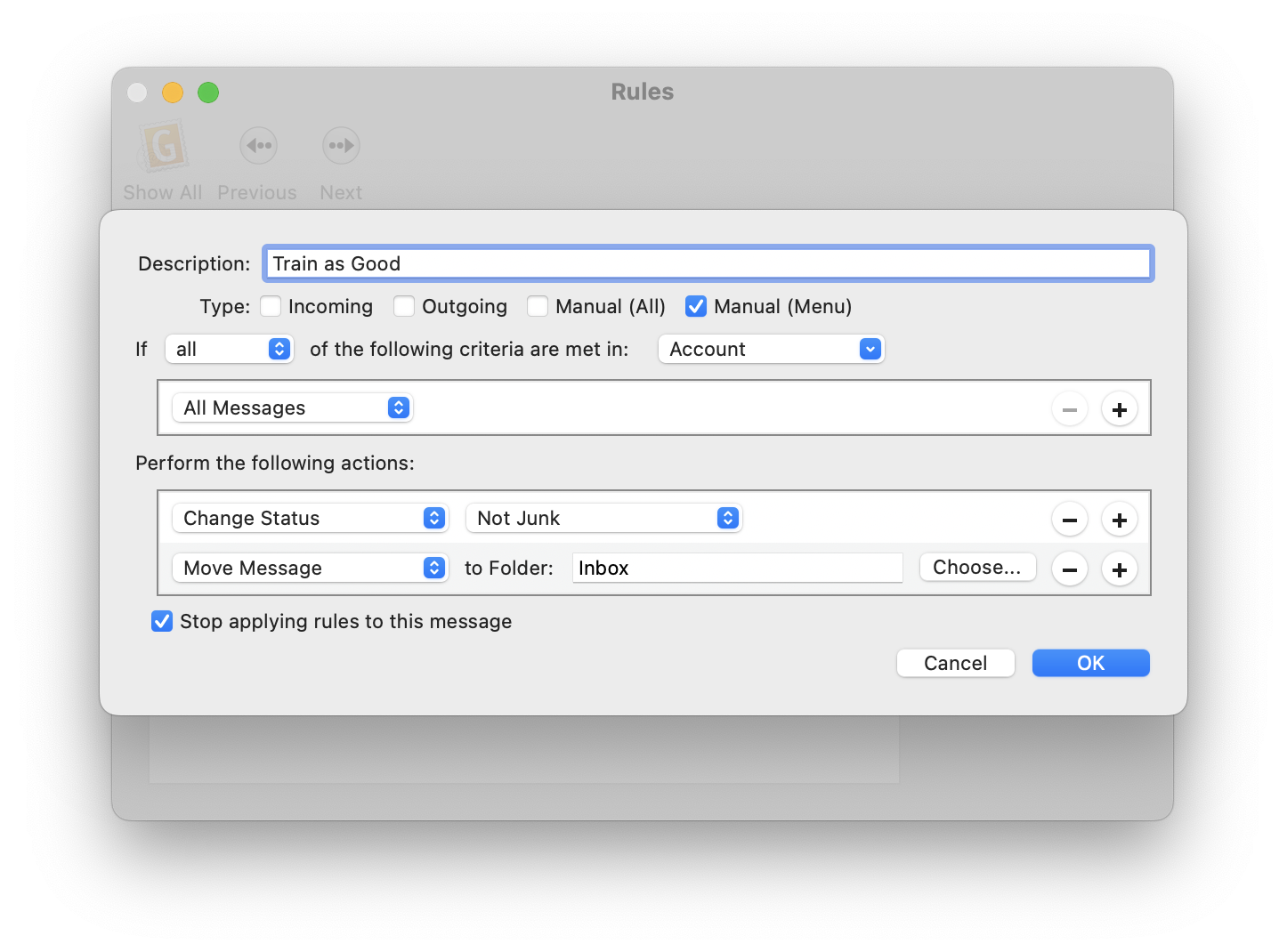
Then, instead of using the Junk and Not Junk buttons to train messages, you can use the Message ‣ Apply Rule ‣ Train as Spam and Message ‣ Apply Rule ‣ Train as Good menu commands to train and move them at the same time.
If desired, you can set up keyboard shortcuts for training. For example, give the Train as Spam rule a keyboard shortcut of Command-Control-S, change the Description of the rule to Train as Spam\@^s.