4.5 Apple Mail Customization
The following customizations are optional but recommended:
Notifications
You can adjust Mail’s settings so that you aren’t notified when you receive new messages that are all spam:
Choose Mail ‣ Settings… and click on General.
Change the New messages sound to None so that Apple Mail does not play a sound when spam messages arrive.
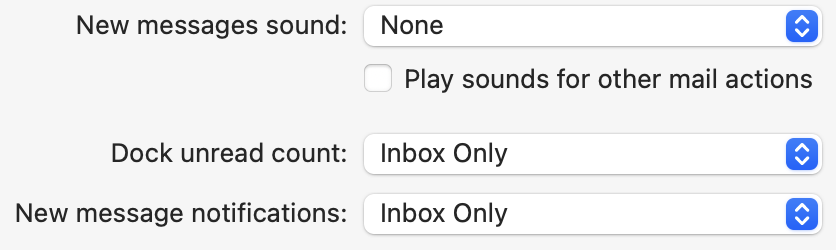
Change New message notifications to VIPs so that Mail does not notify you for spam messages that are temporarily in the Inbox. You can also go to System Settings ‣ Notification ‣ Mail if you prefer to turn off banner notifications for Mail entirely.
The Settings ‣ Notification window lets you control how SpamSieve notifies you when you receive new good messages.
Junk Mailbox
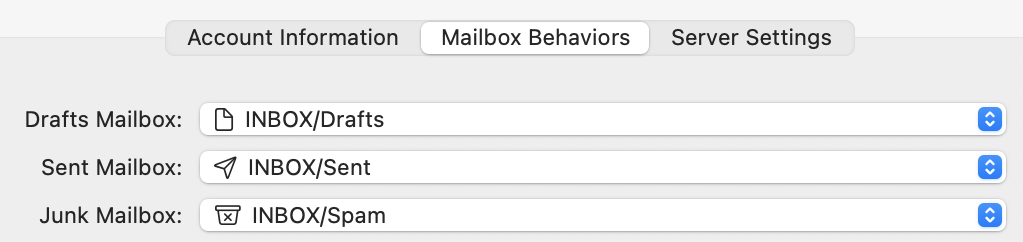
Click on the Accounts tab of Mail’s Settings window. For each account, if there is a Mailbox Behaviors tab, next to Junk Mailbox, choose the junk or spam mailbox that’s inside your account (not the one under On My Mac). If there are multiple such mailboxes, choose the one that your server junk filter is moving spam messages to. For a Gmail account, this is [Gmail]/Spam. There is more information about this here.
Download Attachments
Go to Mail ‣ Settings ‣ Accounts ‣ Account Information and set Download Attachments to All for each account. This will speed up filtering by having Mail pre-download the full message data.

Account Aliases
Tell Mail and SpamSieve about your account aliases, as described in the Why do good messages move to the wrong inbox when trained in Apple Mail? section.
Unread Smart Mailbox
If you have an “Unread” smart mailbox, please see the Why do I see spam messages in my “Unread” smart mailbox in Apple Mail? section for how to adjust it.
Additional customizations are described below:
- 4.5.1 Spam Message Colors in Apple Mail
- 4.5.2 Color Rules in Apple Mail
- 4.5.3 Processing Messages Before SpamSieve
- 4.5.4 Setting the Junk Mailbox in Apple Mail
- 4.5.5 Only Filtering Certain Accounts
- 4.5.6 Rescuing Good Messages Caught By a Server Filter
- 4.5.7 Filtering Spam During Power Nap
- 4.5.8 Keeping Spam Messages Out of Gmail’s Archive