4.2.2 New Blank Disk Image…
This creates an empty disk image with the specified format and size and mounts it in the Finder. The blank disk image acts as a virtual disk. Applications can directly read and write to files stored on the disk image, but the files disappear when you eject the disk image. Double-click the disk image file to make its contents accessible again.
By setting the disk image to be encrypted, your virtual disk can act as a mini FileVault. When using FileVault, your entire drive is encrypted. Disk images created by DropDMG use the same encryption technology as FileVault, but they let you encrypt select groups of files with different passwords and also ensure that backups of those file are encrypted.
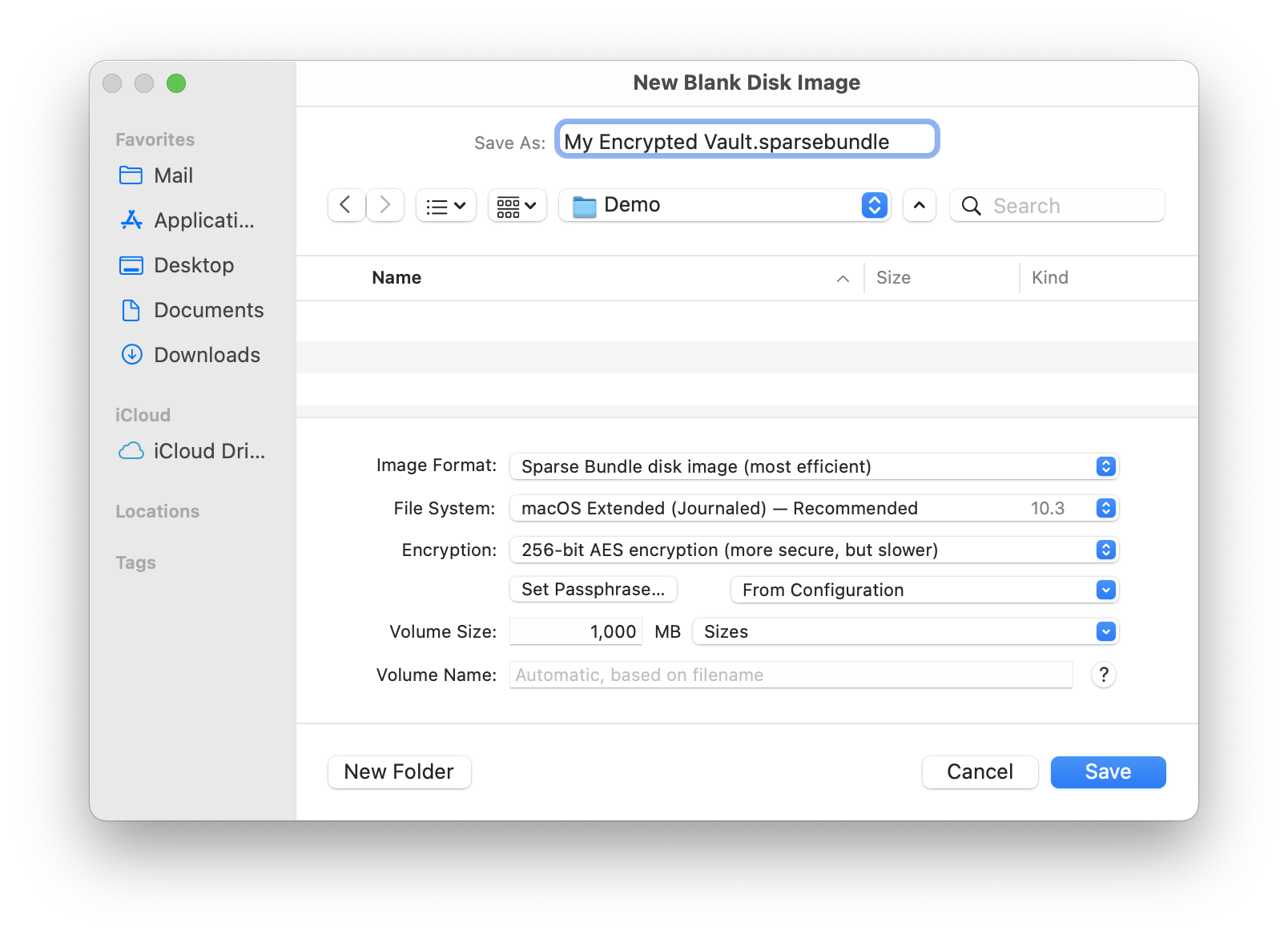
- Image Format
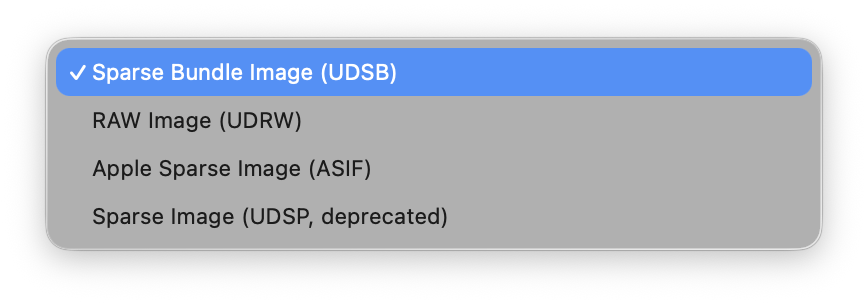
Blank disk images can be created in .dmg, .sparsebundle, .asif, and .sparseimage formats. For more information, see Format section.
- File System
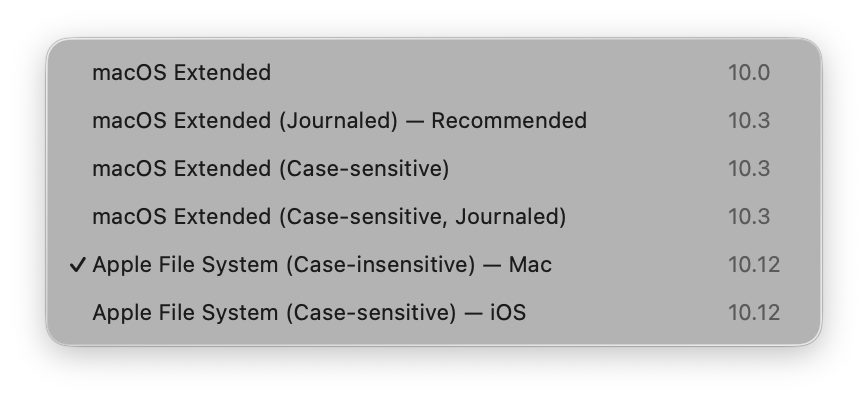
- macOS Extended
- HFS+ is the former standard file system for macOS. You might choose it over HFS+J for maximum compatibility and in situations where you need to save space by not storing the journal. Compatible with macOS 10.0 and later.
- macOS Extended (Journaled) — Recommended
- HFS+J is the standard file system for macOS. Compatible with macOS 10.3 and later.
- macOS Extended (Case-sensitive)
- HFSX is less safe than JHFS+X, but it can be useful in situations where you need to save space by not storing the journal. Compatible with macOS 10.3 and later.
- macOS Extended (Case-sensitive, Journaled)
- JHFS+X is the file system used by iOS 10.2 and earlier. Compatible with macOS 10.3 and later.
- Apple File System (Case-insensitive) — Mac
Case-insensitive APFS is the file system used by macOS 10.13 and later. Blank disk images of this type can be used for testing how apps work with a file system that is Unicode normalization-preserving (unlike HFS+) but not normalization-sensitive. Developer preview with macOS 10.12.4 and later. Fully supported on macOS 10.13 and later.
Note: macOS 10.13 currently has two bugs that can lead to data loss if you try to copy more data to a sparse APFS disk image than its containing volume can hold.
- Apple File System (Case-sensitive) — iOS
- Case-sensitive APFS is the file system used by iOS 10.3 and later. Blank disk images of this type can be used for testing how apps work with a file system that is Unicode normalization-preserving (unlike HFS+) but not normalization-sensitive. Developer preview with macOS 10.12 and later. Fully supported on macOS 10.13 and later.
- Encryption
- The encryption can be None, 128-bit AES, or 256-bit AES. For more information on the encryption types, see the Encryption section. You can use the From Configuration pop-down menu to quickly enter a passphrase saved in the keychain. This is more secure than copying and pasting it.
- Volume Size
- This is the maximum capacity of the blank disk image. For .dmg files, this is also how much space the disk image will take up. Sparse disk images will consume less disk space, depending on how much of the capacity you use.
- Volume Name
- The name of the virtual disk, as shown in the Devices section of the Finder’s sidebar. This need not necessarily be the same as the name of the disk image file, which is set in the Save As field.